



When you’re writing a manuscript or novel, especially a long one, the tools you pick can shape your entire workflow. But as writing software becomes more specialized, authors are realizing something crucial: not all software for writers is built to do the same job.
That said, two names that consistently pop up are LivingWriter and Atticus. At face value, both can replace your outdated desktop processors like Word or even Scrivener. But open them up, and you’ll find two fundamentally different platforms designed for entirely different stages of the writing process.
Here is an honest breakdown of LivingWriter Vs. Atticus—where each excels, how they compare on key features, and which one belongs in your writing workspace.
LivingWriter Vs. Atticus – The Fundamental Difference
Drafting vs. Formatting
Before diving into features, it helps to clear up the core distinction between these two platforms.
LivingWriter is for end-to-end drafting, plotting, and story development. It is built to help you plan your story, outline, write, and structure your book from a blank page to a finished draft. And it does a great job.
Atticus is primarily a book formatting and layout engine. Created by the team behind Kindlepreneur, Atticus’s core strength is turning finished manuscript files into beautiful, print-ready PDFs and EPUBs for Amazon KDP and IngramSpark.
Think of it this way: LivingWriter is where you build the story; Atticus is where you dress it up for print.
Feature Breakdown
Outlining & Plotting Tools
If you’re a plotter—or even a fly-by-your-pants-er who wants a bit of a safety net—outlining tools are your friend and really help with workflow and organization.
LivingWriter comes equipped with a full suite of interactive plotting tools. You get a customizable Plot Board featuring both grid and freeform visual views, built-in classic story frameworks like the Hero’s Journey and Three-Act Structure, and scene-level outline cards. It gives you a birds-eye view of your narrative arc right alongside your manuscript.

Atticus includes basic chapter organization and drag-and-drop hierarchy in its sidebar, but lacks visual plot boards, mind maps, or narrative breakdown templates. The writing editor in Atticus functions closer to a clean word processor with a table of contents, assuming you already know where your story is going before you start typing.
Worldbuilding & Note Integration
When managing complex fiction—especially fantasy, sci-fi, or detailed mystery plots—having immediate access to character profiles and lore is vital to keeping your draft moving.
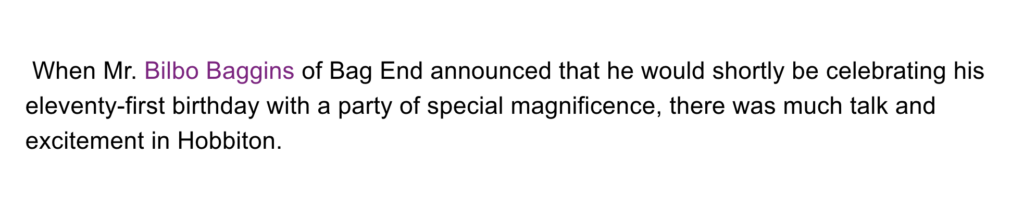
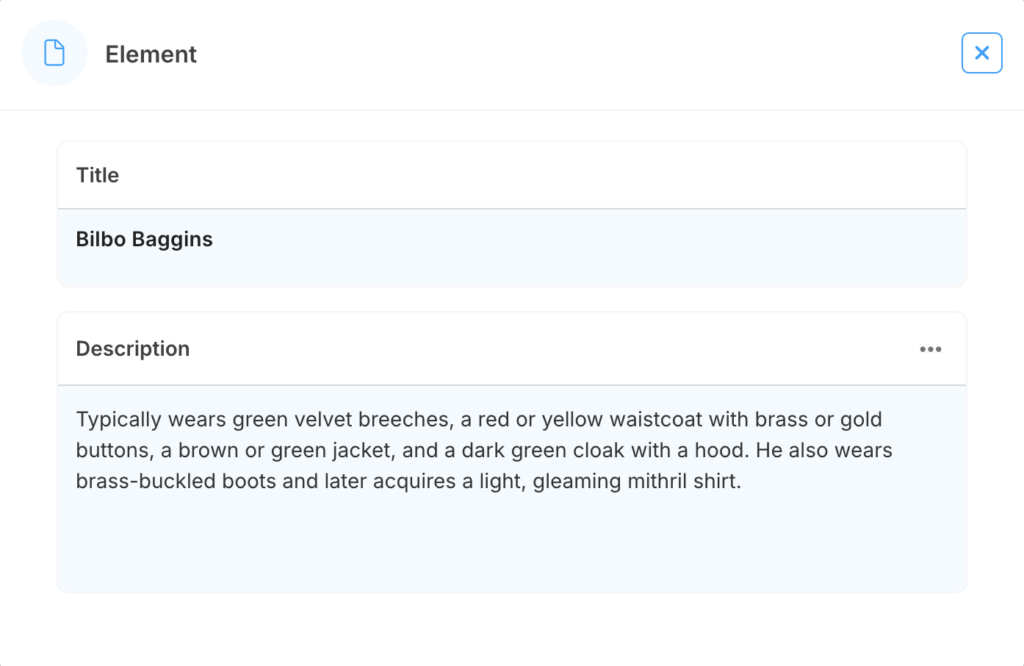
LivingWriter features Smart Elements, which automatically detect when you type the name of a character, location, or key object. Hovering over or clicking the name pulls up your research notes, images, and background details in the sidebar without breaking your typing flow.
Atticus offers project-level notes, but it lacks smart text detection, inline cross-referencing, or dedicated character cards embedded directly into your text editor.
Cloud Architecture & Mobile Flexibility
No modern author wants to be tethered to a single desktop or forced to manage manual Dropbox syncs across devices.
LivingWriter is fully cloud-native. You can log into your manuscript from any web browser on PC, Mac, or Chromebook, or write on the go using native iOS and Android apps. Everything syncs continuously with full revision history, making it easy to jump between devices or revert to older drafts at any point.
Atticus operates as a Progressive Web App (PWA), meaning you can install a desktop app for Mac, PC, or Chromebook that syncs when connected to the web. However, Atticus currently lacks native mobile phone apps, and its hybrid offline/online sync model has been noted by users to occasionally cause friction compared to pure cloud environments.
Interior Design & Book Formatting
This is where the tables turn slightly in favor of Atticus.
Atticus was specifically designed to challenge formatting tools like Vellum. It excels at custom chapter headers, ornamental scene breaks, running headers, and automatic page-count adjustments for paperback/hardcover distribution. You can instantly preview how your book will render across various Kindle devices, iPads, or printed pages with a single click.
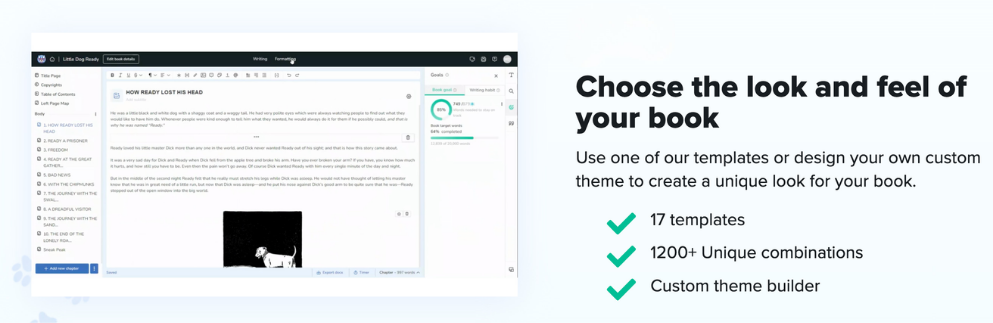
LivingWriter offers clean export options—including direct-to-KDP manuscript formats (.docx and .pdf) structured according to standard submission guidelines—but it isn’t designed for complex visual typesetting, custom font styling, or interior ornamental design.
Comparison Summary
| Feature | LivingWriter | Atticus |
| Primary Focus | Manuscript Drafting & Plotting | Book Formatting & Layout |
| Platform Type | Cloud-Native Web App + Mobile Apps | Progressive Web App (PWA) |
| Plotting Boards & Frameworks | Advanced (Grid & Visual Boards) | Basic Sidebar Hierarchy |
| Worldbuilding / Notes | Smart Elements (Auto-detection & sidebar notes) | Standard Project Notes |
| Mobile Apps | Native iOS & Android | None (Browser / Desktop PWA) |
| Typesetting & Interior Design | Standard Manuscript Exports (.docx, .pdf) | Advanced (Custom themes, headers, live device preview) |
| Pricing | $9.99/mo or $96/yr | $147 One-time Payment |
The Verdict: How to Choose
Choosing between LivingWriter and Atticus isn’t necessarily an “either/or” choice for self-published authors—it comes down to where you are in your publishing pipeline.
- Choose LivingWriter if: You need an intuitive, distraction-free environment to plan, plot, and write your manuscript. If you rely on character sheets, visual boards, mobile writing, or seamless real-time syncing while drafting, LivingWriter is the better workspace for getting your words on the page.
- Choose Atticus if: Your manuscript is already written and edited, and you want a cross-platform tool to format your final file into publishing-ready EPUBs and print PDFs without paying a professional interior designer.
The Hybrid Workflow: Many indie authors use LivingWriter as their primary workspace to outline, write, and revise their draft, then export the clean file into Atticus for final visual layout before uploading to KDP and IngramSpark.